“Our newest flagship model.”
“The most intelligent AI experience ever.”
“Over 50 new product launches.”
It feels like every week there’s a new announcement like this. From Google to Amazon, every major tech company is racing to prove they have the best AI.
New models. New features. New breakthroughs, and if you’re trying to keep up, it can feel exhausting. I know that feeling well.
As someone who needs AI in almost every aspect of my life including work , I deal with AI every day. And in the beginning, I struggled more than I expected, not because AI was too complicated.
But because of two simple things:
There was too much noise, and I didn’t come from a technical background. After more than two years of reading newsletters, listening to podcasts, testing tools, and even running workshops, I realized something important:
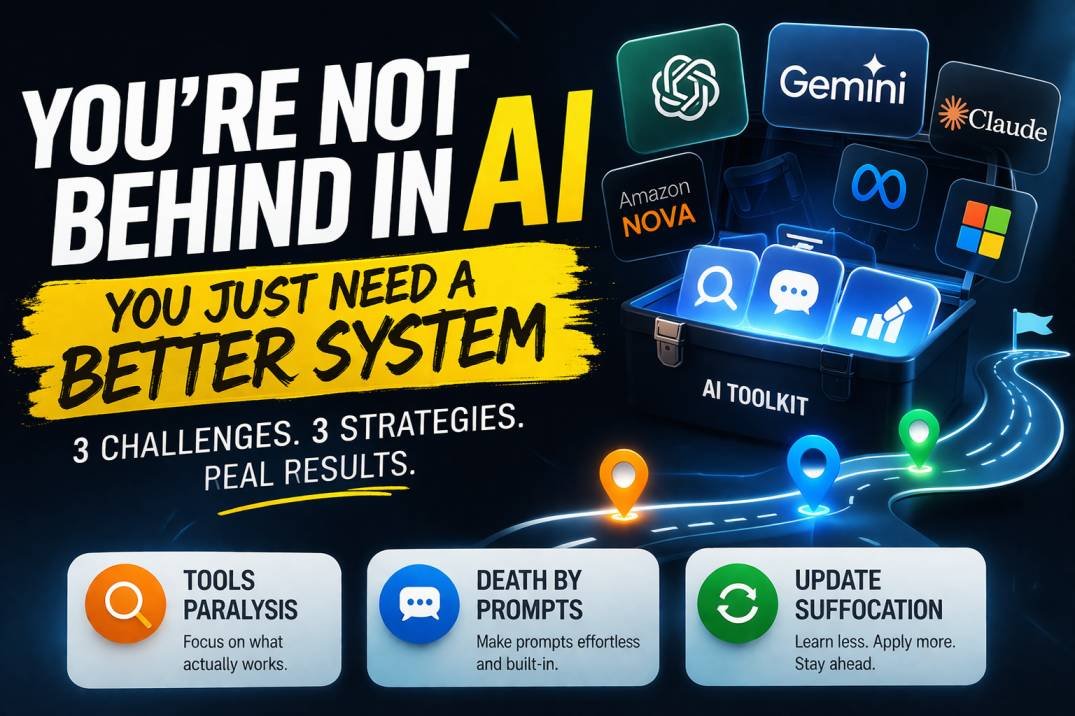
You’re not behind, the real problem is that no one has given you a clear and practical way to navigate all of this, so instead of trying to learn everything, it’s better to focus on fixing three key challenges that hold most people back.
Challenge 1: AI Tools Paralysis
One of the biggest problems right now is simple:
There are too many tools, every new release promises to be faster, smarter, and more powerful than the last. Benchmarks improve, demos look impressive, and suddenly it feels like you need to switch tools every week.
But here’s the truth most people don’t talk about:
Performance on paper doesn’t always translate to real-life usefulness, for example, when OpenAI released a new model, it outperformed older versions in almost every benchmark. Naturally, people assumed it was time to upgrade immediately, but in practice, things looked different.
The newer model was slower.
It cost more.
And for everyday tasks like editing emails or writing short content, it didn’t actually save time.
In fact, many people were better off sticking with the older version. This is where the confusion starts.
Because when every company claims to have the “best” AI, and every platform offers multiple models, it becomes almost impossible to know what to use, that’s how people fall into what I call tools paralysis.
You stop experimenting.
You stop learning.
And eventually, you stop using AI altogether.
The Solution: Build a Minimum Viable Toolkit. Instead of trying to learn every tool, focus on building a small set that actually works for you, think of it this way:
Even if every AI tool was amazing, you still wouldn’t have the time to master all of them, so the smarter approach is to ask:
What’s the smallest number of tools I need to cover my daily work? Here’s the process I personally follow.
First, identify a recurring need… in my case, I needed a faster way to research marketing and advertising trends.
Then, test a few tools, after trying different options, I ended up choosing Perplexity AI because it was fast, simple, and gave reliable answers. Finally, commit to one tool.
Instead of constantly switching, I used it consistently until it became second nature. If a tool proves useful over time, it earns a permanent place in your toolkit. If it doesn’t, you move on.
No overthinking.
No chasing trends.
Just practical decisions based on what actually works.
Challenge 2: Death by Prompts
Let’s say you’ve found the right tools, there’s still another problem that stops people from using them consistently, you find a powerful prompt that improves your writing, your emails, or your reports. It works perfectly, but then reality kicks in.
You have to type it again.
And again.
And again.
After a while, it becomes annoying enough that you stop using it, not because it’s useless, but because it’s inconvenient, that’s what is known as “death by prompts”.
The Solution: Reduce Friction
The goal here is simple. Make using AI as effortless as possible. There are two easy ways to do this:
The first is using a text expander.
Instead of typing full prompts every time, you create shortcuts, for example, typing something like ::summary can instantly expand into a full prompt. Tools like Alfred or Raycast make this process quick and seamless. It might seem like a small improvement, but it saves a surprising amount of time.
The second strategy is embedding prompts directly into your workflow, most people store prompts in random places like notes or documents, but a better approach is to place them exactly where you need them. If you write weekly reports, include your prompt in your calendar event, if you analyze customer feedback, attach your prompt to your project sheet.
Personally, I store everything in Notion and link prompts directly into my workflow. This way, I never have to search for them, they’re always there when I need them.
Challenge 3: Update Overload
Even after solving tools and prompts, there’s still one major challenge left. The constant stream of updates.
New features.
New tools.
New trends.
Every single day, and over time, this creates decision fatigue, you start asking yourself:
Should I learn this new feature?
Should I stick to what I already know?
Am I falling behind?
The Solution: The Impact Loop
To deal with this, there’s a simple system called the Impact Loop, it has two steps. The first step is learning. Yes, you still need to stay updated. But instead of following everything, focus on just one or two reliable sources.
Spend five to ten minutes a day staying informed, that’s enough. The second step is taking action, this is where most people fall short. Learning without applying doesn’t lead to progress.
So set aside a small block of time each week, even just 30 to 60 minutes, to test one thing you’ve learned, not everything. Just one thing, for example, if you discover a new feature, try it out that same week. If you find a useful prompt, apply it to your work, over time, this habit builds real understanding and confidence.